Buy gameover.eu ?
We are moving the project
gameover.eu .
Are you interested in purchasing the domain
gameover.eu ?
domain@kv-gmbh.de · 0541-91531010
Buy gameover.eu ?
Controller or mouse/keyboard?
The choice between using a controller or a mouse/keyboard ultimately depends on personal preference and the type of game being played. Controllers are often preferred for games that require precise analog movements, such as platformers or racing games. On the other hand, mouse/keyboard setups are typically favored for first-person shooters and real-time strategy games due to the precision and speed they offer. Some players may even use a combination of both depending on the game and their comfort level with each input method. Ultimately, the best choice is the one that feels most comfortable and natural for the individual player. **
How do I switch from console controller to PC keyboard and mouse?
To switch from using a console controller to a PC keyboard and mouse, you will need to disconnect the controller from your computer and connect a keyboard and mouse instead. If you are using a wired controller, simply unplug it from the USB port. If you are using a wireless controller, you may need to turn it off or remove its batteries. Once the controller is disconnected, you can then connect a keyboard and mouse to your computer. Your computer should automatically recognize the new input devices, and you can start using the keyboard and mouse to control your games or applications. **

Similar search terms for Explain
Top-Angebote
Products related to Explain:
-
CaseAndConnect PS5 And Xbox Series X Headset Holder And Controller Holder Console Mount 1pcKeep your gaming zone clean, organized, and ready for every session. This 1 pc compact PS5 headset holder mounts directly to a compatible PS5 or Xbox Series X console, giving your headset or controller a convenient home without taking up valuable...34,97 $*Shipping: 0,00 $Secure redirect to the provider
-
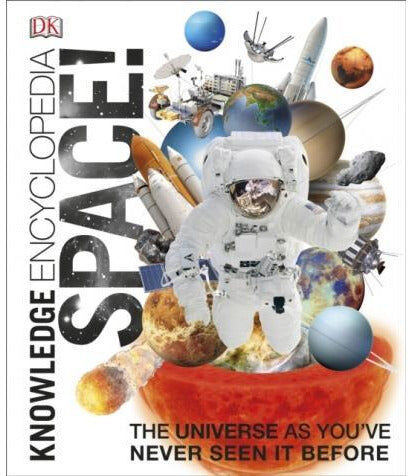
Dorling Kindersley DK Knowledge Encyclopedia Space The Ultimate Space & Astronomy Reference Guide for Kids and Families - Planets, Stars, Galaxies & the Universe ExplainExplore the wonders of the universe with the DK Knowledge Encyclopedia Space, an inspiring and visually stunning guide to outer space.Packed with high-definition photographs, 3D illustrations, infographics, facts, timelines, and scientific explanations, this encyclopedia takes readers on an unforgettable journey from Earth to the farthest reaches of the cosmos. Perfect for curious readers, young astronomers, and space enthusiasts, this book explains: The solar system, planets, moons, and dwarf planets Stars, nebulas, black holes, galaxies & cosmic phenomena Space exploration, astronauts & spacecraft The Big Bang, universe evolution & future missions The latest science discoveries explained in kid-friendly language A brilliant educational book for STEM learners, classrooms, home libraries, and children aged 8–14 who love space.9,99 £*Shipping: 2,99 £Secure redirect to the provider
-
United PS5 Controller Holder And Xbox Series X Controller Stand Gaming Headset Hanger Organizer 1pcKeep your gaming space neat and always ready for action with this PS5 controller holder designed for modern gamers. Compatible with PS5 and Xbox Series X consoles, it provides a convenient place to store your controller, headset, and small gaming...31,97 $*Shipping: 0,00 $Secure redirect to the provider
-
Inspire Essentials Xbox Controller Replacement Thumbsticks Anti Slip Joystick Caps cBring worn controller sticks back to a more comfortable and controlled feel without replacing the entire controller. These Xbox controller replacement thumbsticks are designed to replace worn or damaged mushroom head joystick parts. The textured...45,00 $*Shipping: 0,00 $Secure redirect to the provider



-
'Controller or mouse and keyboard?'
The choice between using a controller or a mouse and keyboard ultimately comes down to personal preference and the type of game being played. Controllers are often preferred for games that require precise analog movements, such as racing or platformers, while mouse and keyboard are typically better for games that require quick and accurate aiming, like first-person shooters. Some players find controllers more comfortable for long gaming sessions, while others prefer the customization options and precision of a mouse and keyboard setup. Ultimately, the best choice is the one that feels most comfortable and intuitive for the individual player. **
-
Keyboard and mouse or controller?
The choice between keyboard and mouse or controller ultimately depends on personal preference and the type of game being played. Keyboard and mouse are often preferred for first-person shooters and strategy games due to their precision and quick response time. On the other hand, controllers are popular for platformers, racing games, and fighting games because of their comfort and ease of use. Some players may even use a combination of both depending on the game and their own comfort level. Ultimately, it comes down to what feels most natural and enjoyable for the individual player. **
-
How do you connect the mouse, keyboard, and headset?
To connect the mouse, keyboard, and headset to a computer, you typically plug them into the USB ports on the computer. Most modern computers have multiple USB ports, so you can plug each device into a separate port. If your devices use Bluetooth technology, you can pair them with your computer wirelessly. Make sure to follow the manufacturer's instructions for each device to ensure they are connected properly and functioning correctly. **
-
Is a mouse and keyboard better than a controller on the console for games like COD, Fortnite, etc.?
It ultimately depends on personal preference and comfort. Some players may find that a mouse and keyboard offer more precision and control for games like COD and Fortnite, especially when it comes to aiming and quick movements. However, others may prefer the familiarity and ease of use that comes with a controller. It's important to try both options and see which one feels more natural and enjoyable for you. **


Can you please explain the computer keyboard?
The computer keyboard is an input device that allows users to input text, numbers, and commands into a computer. It consists of keys that are arranged in a specific layout, including letters, numbers, symbols, and function keys. When a key is pressed, it sends an electrical signal to the computer, which then processes the input accordingly. Keyboards can be wired or wireless, and they come in various designs and sizes to suit different needs and preferences. **
Which is better, a mouse, a headset, or a keyboard?
The answer to this question depends on personal preference and what you value most in your gaming or work setup. A mouse is essential for precise cursor control and is crucial for tasks like graphic design or gaming. A headset is important for clear communication in multiplayer games or virtual meetings. A keyboard is necessary for typing and can impact your typing speed and comfort. Ultimately, the best choice would be to have all three components for a well-rounded and efficient setup. **
Top-Angebote
Products related to Explain:
-
Seven Jamie Laing Collection 2 Books Set( Boys Don’t Cry & I Can Explain A hilarious)Description. Titles in the Set:. Boys Don’t Cry: [Hardcover]. I Can Explain: A hilarious memoir of mistakes. Condition:BRAND NEW. Format:Mixedlot. ISBN: 9789124019051. Boys Don’t Cry: [Hardcover]. 'This book reminds us that being vulnerable is the very gateway to deeper friendships and richer forms of flourishing. A very necessary, highly readable and relatable voice to help us to discover more liberated and creative ways of living' - Alain de Botton. Accessible and packed with helpful takeaways, this is a handbook Jamie has poured his heart into about growing up in today's society - a handbook that you can dip into and that is split into easy-to-digest mini chapters. I Can Explain: A hilarious memoir of mistakes. Funny, charming, and romantic to a fault, everyone loves Jamie Laing. The affectionate and exuberant blonde puppy dog has come a long way - and broken many hearts - since he first graced our screens in 2011 as the joker of the King's Road on Made in Chelsea. Ten years on, he became king of the ballroom making the final of Strictly Come Dancing. Now he's ready to spill the tea - and (McVitie's) biscuits - about life, love and everything in between.. About the Author:. Jamie Laing (born November 3, 1988) is a British television personality, podcaster, and entrepreneur known for Made in Chelsea, Strictly Come Dancing, and founding the confectionery brand Candy Kittens. He has authored books including I Can Explain, a memoir, and Boys Don't Cry.. Title. Jamie Laing Collection 2 Books Set( Boys Don’t Cry & I Can Explain A hilarious). Delivery. Content. Reviews26,99 £*Shipping: 2,99 £Secure redirect to the provider
-
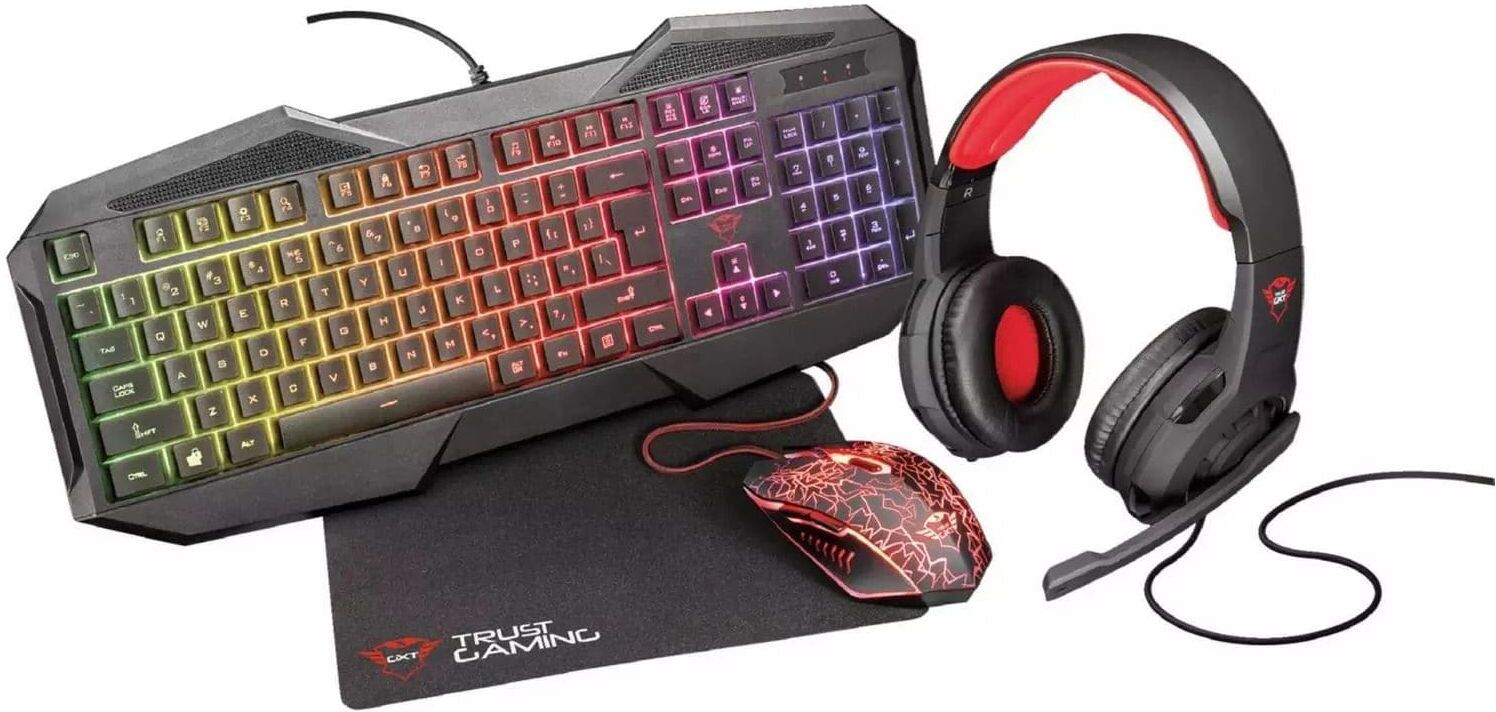
Trust GXT 788RW Keyboard Mouse Headset 4 In 1 Gaming Bundle, NewStep up your gaming setup with the Trust GXT 788RW 4-in-1 Gaming Bundle, the ultimate starter kit for every gamer seeking style, performance, and comfort — all in one box. This high-performance bundle includes a responsive gaming keyboard, precision optical mouse, immersive over-ear headset, and a durable mouse pad, all designed with a sleek gamer aesthetic and vibrant RGB lighting. Whether you're a casual player or an aspiring pro, this all-in-one kit gives you the tools you need to dominate your favorite titles right out of the box. Built for seamless compatibility with PC and gaming consoles, it’s the perfect solution for gamers looking to upgrade with value and quality. ✅ 4-in-1 Complete Gaming Kit – Includes a full-size keyboard, optical mouse, over-ear headset, and a gaming-grade mouse pad. ✅ RGB Backlit Gaming Keyboard – Enjoy dynamic multicolor lighting with anti-ghosting keys for precise and responsive control. ✅ High-Precision Gaming Mouse – Adjustable DPI settings for accurate tracking, perfect for FPS, MOBA, and RTS games. ✅ Comfortable Over-Ear Headset – Delivers powerful sound and clear communication with an adjustable headband and built-in microphone. ✅ Durable Gaming Mouse Pad – Smooth surface for optimal mouse movement and a non-slip rubber base for stability. ✅ Plug & Play Convenience – No software needed — easy USB connectivity for immediate use across platforms. ✅ Compatible with PC & Consoles – Works flawlessly with Windows PCs, laptops, and gaming consoles like PS4/PS5. ✅ Stylish & Durable Design – Rugged construction with a sharp, gamer-centric look to match your setup. ✅ Adjustable Headset Mic – Flexible boom mic ensures crisp team communication during intense gameplay. ✅ Perfect Gift for Gamers – A great choice for beginners or as a gift bundle for birthdays and holidays. The Trust GXT 788RW Gaming Bundle offers unbeatable value for gamers who want to dive right into action without compromising on quality. With everything you need to start gaming, this stylish and functional bundle is your key to immersive, competitive play. Level up your gear and dominate every session in style.25,89 £*Shipping: 0,00 £Secure redirect to the provider
-
CaseAndConnect PS5 And Xbox Series X Headset Holder And Controller Holder Console Mount 1pcKeep your gaming zone clean, organized, and ready for every session. This 1 pc compact PS5 headset holder mounts directly to a compatible PS5 or Xbox Series X console, giving your headset or controller a convenient home without taking up valuable...34,97 $*Shipping: 0,00 $Secure redirect to the provider
-
Dorling Kindersley DK Knowledge Encyclopedia Space The Ultimate Space & Astronomy Reference Guide for Kids and Families - Planets, Stars, Galaxies & the Universe ExplainExplore the wonders of the universe with the DK Knowledge Encyclopedia Space, an inspiring and visually stunning guide to outer space.Packed with high-definition photographs, 3D illustrations, infographics, facts, timelines, and scientific explanations, this encyclopedia takes readers on an unforgettable journey from Earth to the farthest reaches of the cosmos. Perfect for curious readers, young astronomers, and space enthusiasts, this book explains: The solar system, planets, moons, and dwarf planets Stars, nebulas, black holes, galaxies & cosmic phenomena Space exploration, astronauts & spacecraft The Big Bang, universe evolution & future missions The latest science discoveries explained in kid-friendly language A brilliant educational book for STEM learners, classrooms, home libraries, and children aged 8–14 who love space.9,99 £*Shipping: 2,99 £Secure redirect to the provider
-
Controller or mouse/keyboard?
The choice between using a controller or a mouse/keyboard ultimately depends on personal preference and the type of game being played. Controllers are often preferred for games that require precise analog movements, such as platformers or racing games. On the other hand, mouse/keyboard setups are typically favored for first-person shooters and real-time strategy games due to the precision and speed they offer. Some players may even use a combination of both depending on the game and their comfort level with each input method. Ultimately, the best choice is the one that feels most comfortable and natural for the individual player. **
-
How do I switch from console controller to PC keyboard and mouse?
To switch from using a console controller to a PC keyboard and mouse, you will need to disconnect the controller from your computer and connect a keyboard and mouse instead. If you are using a wired controller, simply unplug it from the USB port. If you are using a wireless controller, you may need to turn it off or remove its batteries. Once the controller is disconnected, you can then connect a keyboard and mouse to your computer. Your computer should automatically recognize the new input devices, and you can start using the keyboard and mouse to control your games or applications. **
-
'Controller or mouse and keyboard?'
The choice between using a controller or a mouse and keyboard ultimately comes down to personal preference and the type of game being played. Controllers are often preferred for games that require precise analog movements, such as racing or platformers, while mouse and keyboard are typically better for games that require quick and accurate aiming, like first-person shooters. Some players find controllers more comfortable for long gaming sessions, while others prefer the customization options and precision of a mouse and keyboard setup. Ultimately, the best choice is the one that feels most comfortable and intuitive for the individual player. **
-
Keyboard and mouse or controller?
The choice between keyboard and mouse or controller ultimately depends on personal preference and the type of game being played. Keyboard and mouse are often preferred for first-person shooters and strategy games due to their precision and quick response time. On the other hand, controllers are popular for platformers, racing games, and fighting games because of their comfort and ease of use. Some players may even use a combination of both depending on the game and their own comfort level. Ultimately, it comes down to what feels most natural and enjoyable for the individual player. **
Similar search terms for Explain
-
United PS5 Controller Holder And Xbox Series X Controller Stand Gaming Headset Hanger Organizer 1pcKeep your gaming space neat and always ready for action with this PS5 controller holder designed for modern gamers. Compatible with PS5 and Xbox Series X consoles, it provides a convenient place to store your controller, headset, and small gaming...31,97 $*Shipping: 0,00 $Secure redirect to the provider
-
Inspire Essentials Xbox Controller Replacement Thumbsticks Anti Slip Joystick Caps cBring worn controller sticks back to a more comfortable and controlled feel without replacing the entire controller. These Xbox controller replacement thumbsticks are designed to replace worn or damaged mushroom head joystick parts. The textured...45,00 $*Shipping: 0,00 $Secure redirect to the provider
-
Inspire Picks RGB Controller & Headset Stand 7 Mode Gaming Organizer With USB & Type C RGB Controller & Headset Stand 7 Mode Gaming Organizer With USB & Type CGive your gaming station a cleaner, more vibrant setup with this multifunctional RGB controller holder. Designed for compatible PS5, PS4, Xbox, and Switch Pro controllers, it combines gamepad storage with a dedicated headphone stand. Seven RGB light...117,96 $*Shipping: 0,00 $Secure redirect to the provider
-
Uplift Picks PS5 Wall Mount Kit With RGB Dual Controller Charging And Headset Hanger PS5 Wall Mount Kit With RGB Dual Controller Charging And Headset HangerCreate a cleaner gaming setup with this PS5 wall mount kit designed to hold your console, controllers, and headset in one organized space. Compatible versions support PS5, PS5 Slim, and PS5 Pro consoles, including Disc and Digital editions. The...191,49 $*Shipping: 0,00 $Secure redirect to the provider
-
How do you connect the mouse, keyboard, and headset?
To connect the mouse, keyboard, and headset to a computer, you typically plug them into the USB ports on the computer. Most modern computers have multiple USB ports, so you can plug each device into a separate port. If your devices use Bluetooth technology, you can pair them with your computer wirelessly. Make sure to follow the manufacturer's instructions for each device to ensure they are connected properly and functioning correctly. **
-
Is a mouse and keyboard better than a controller on the console for games like COD, Fortnite, etc.?
It ultimately depends on personal preference and comfort. Some players may find that a mouse and keyboard offer more precision and control for games like COD and Fortnite, especially when it comes to aiming and quick movements. However, others may prefer the familiarity and ease of use that comes with a controller. It's important to try both options and see which one feels more natural and enjoyable for you. **
-
Can you please explain the computer keyboard?
The computer keyboard is an input device that allows users to input text, numbers, and commands into a computer. It consists of keys that are arranged in a specific layout, including letters, numbers, symbols, and function keys. When a key is pressed, it sends an electrical signal to the computer, which then processes the input accordingly. Keyboards can be wired or wireless, and they come in various designs and sizes to suit different needs and preferences. **
-
Which is better, a mouse, a headset, or a keyboard?
The answer to this question depends on personal preference and what you value most in your gaming or work setup. A mouse is essential for precise cursor control and is crucial for tasks like graphic design or gaming. A headset is important for clear communication in multiplayer games or virtual meetings. A keyboard is necessary for typing and can impact your typing speed and comfort. Ultimately, the best choice would be to have all three components for a well-rounded and efficient setup. **
* All prices are inclusive of VAT and, if applicable, plus shipping costs. The offer information is based on the details provided by the respective shop and is updated through automated processes. Real-time updates do not occur, so deviations can occur in individual cases. ** Note: Parts of this content were created by AI.